Table of Contents
- Why Businesses Continue to Depend on Excel
- The Problem of Multiple Versions
- Human Errors Can Become Expensive
- Limited Collaboration Creates Bottlenecks
- Lack of Real-Time Information
- Security Risks Are Often Overlooked
- Difficulty Tracking Changes
- Scaling Becomes Increasingly Difficult
- Reporting Becomes Time-Consuming
- The Hidden Productivity Cost
- Better Alternatives for Modern Organizations
- Signs Your Organization Has Outgrown Excel
- The Future of Business Operations
- Frequently Asked Questions
- Is Excel still useful for businesses?
- What are the biggest risks of relying only on spreadsheets?
- Why do spreadsheet errors occur so often?
- How do spreadsheets affect productivity?
- When should businesses move beyond Excel?
- Conclusion
In almost every organization, Microsoft Excel has been a trusted tool for decades. From small startups and family-owned businesses to large enterprises, spreadsheets have become a familiar part of daily operations. Employees use Excel to track attendance, manage finances, maintain customer records, monitor inventory, calculate payroll, manage projects, and store important business information.
There is no doubt that Excel is a powerful tool. It is flexible, easy to use, and capable of handling a wide range of calculations and data analysis tasks. For many organizations, Excel serves as the first step toward digitization because it offers a simple way to organize information without investing in specialized software.
However, as organizations grow, business operations become more complex. Teams expand, departments increase, data volumes rise, and processes become more interconnected. What once worked well for a small team can quickly become a major obstacle for a growing organization.
Many businesses continue relying heavily on spreadsheets because they are comfortable with them. Employees know how to use them, managers are familiar with them, and there is no immediate pressure to change. Yet behind this familiarity lies a significant risk. While Excel remains an excellent tool for calculations and analysis, it was never designed to manage complex business operations across multiple departments and users.
As organizations become more dependent on data, collaboration, and real-time decision-making, relying solely on spreadsheets can create hidden challenges that affect productivity, security, accuracy, and long-term growth.
The question is no longer whether Excel is useful. The real question is whether Excel alone is enough for modern business operations.
Why Businesses Continue to Depend on Excel
Despite the rise of modern business management platforms, many organizations still depend heavily on spreadsheets.
The reasons are understandable.
Excel is readily available, requires minimal setup, and offers flexibility for creating customized reports and tracking information. Employees can quickly create formulas, organize data, and generate charts without requiring advanced technical knowledge.
For smaller organizations, spreadsheets often appear to be a cost-effective solution.
Initially, everything seems manageable.
A single spreadsheet may be enough to track customer information, employee records, expenses, or inventory levels.
However, as operations expand, the limitations begin to emerge.
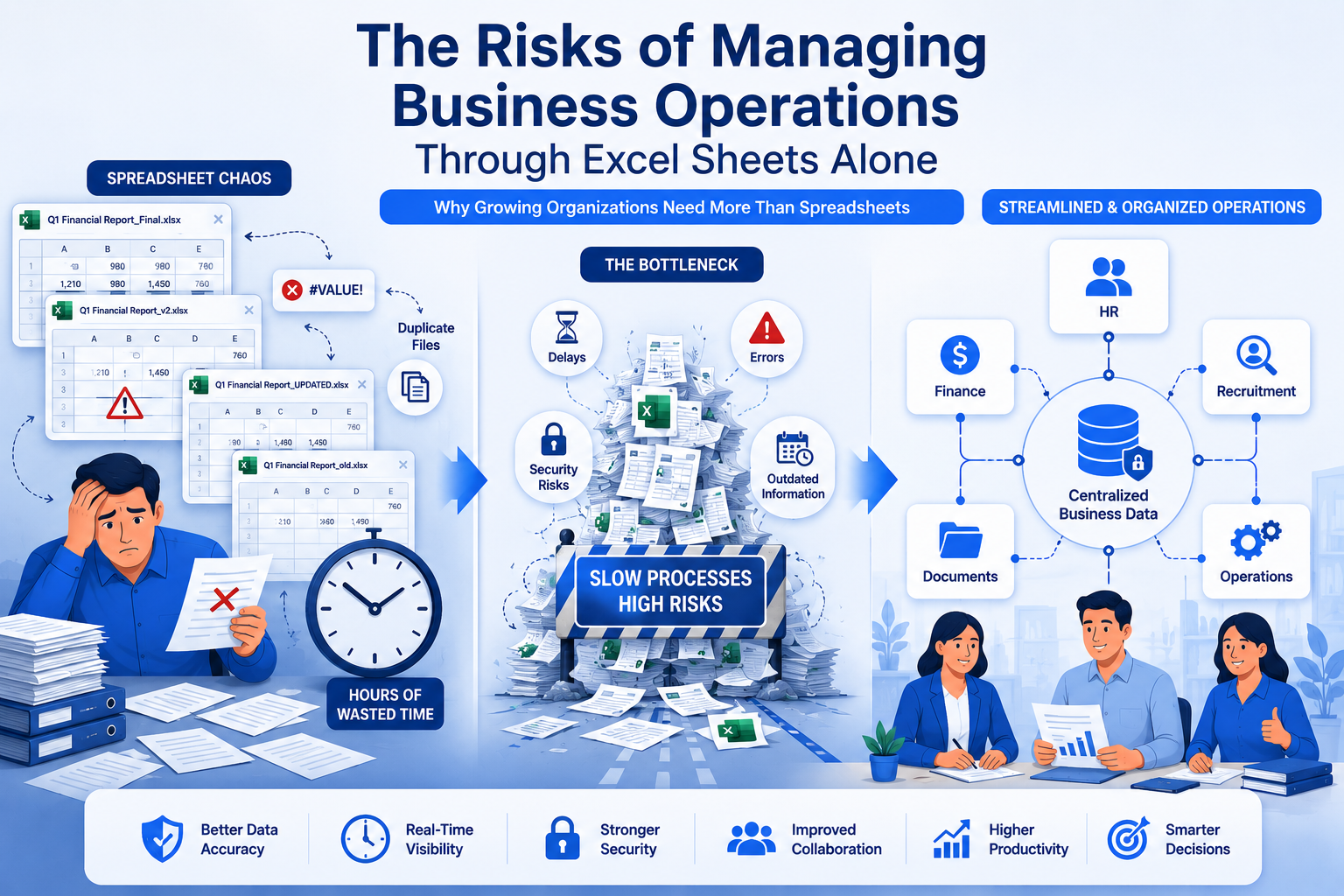
New spreadsheets are created. Multiple versions circulate among teams. Information becomes scattered across departments. Employees spend more time updating files than analyzing information.
What starts as a simple solution gradually becomes a complex network of disconnected spreadsheets.
The Problem of Multiple Versions
One of the most common issues organizations face with Excel-based operations is version control.
Imagine a situation where multiple employees need access to the same spreadsheet.
One person downloads a file and makes updates. Another employee works on an older version. A manager receives a copy through email and adds additional information.
Within a short period, several different versions of the same document exist.
This creates confusion and uncertainty.
Employees may not know which version contains the most accurate information.
Important updates can be missed, duplicated, or overwritten.
As the organization grows, managing multiple spreadsheet versions becomes increasingly difficult.
The time spent locating the correct file often exceeds the time spent actually using the information.
Human Errors Can Become Expensive
Every business relies on accurate information.
Financial reports, employee records, customer data, inventory counts, and operational metrics all influence important decisions.
Unfortunately, spreadsheets are highly vulnerable to human error.
A simple mistake such as:
- Entering incorrect data
- Deleting a formula
- Copying information into the wrong cell
can create significant problems.
Unlike specialized business software, spreadsheets often lack built-in safeguards to prevent errors.
Many mistakes remain unnoticed until they affect reports, payroll calculations, financial statements, or customer transactions.
Research has consistently shown that spreadsheet errors are surprisingly common.
While most errors are unintentional, their consequences can be costly.
Incorrect information can lead to poor decisions, financial losses, and operational disruptions.
Limited Collaboration Creates Bottlenecks
Modern organizations depend on collaboration.
Employees across departments must work together, share information, and coordinate activities efficiently.
Spreadsheets were not originally designed for real-time collaboration on a large scale.
As more employees access and modify files, collaboration challenges increase.
Common issues include:
- Simultaneous editing conflicts
- Delayed updates
- Duplicate entries
Teams may spend valuable time resolving spreadsheet-related problems instead of focusing on meaningful work.
When collaboration becomes difficult, productivity suffers.
Organizations need systems that support seamless teamwork while maintaining data accuracy and visibility.
Lack of Real-Time Information
Business decisions are most effective when based on current information.
Unfortunately, spreadsheet-based operations often rely on manual updates.
Employees must enter data, save files, distribute copies, and communicate changes manually.
This process creates delays.
By the time information reaches decision-makers, it may already be outdated.
Real-time visibility becomes increasingly important as organizations grow.
Managers need immediate access to accurate information regarding:
- Employee performance
- Financial status
- Project progress
- Inventory levels
Without real-time information, organizations risk making decisions based on incomplete or outdated data.
Security Risks Are Often Overlooked
Many organizations assume their spreadsheets are secure simply because they are stored on company computers or shared drives.
However, spreadsheet security presents several challenges.
Sensitive information such as:
- Employee records
- Payroll data
- Financial reports
- Customer information
may be accessible to individuals who do not require access.
Spreadsheets often lack advanced permission controls.
Files can be copied, forwarded, downloaded, or modified without proper tracking.
Additionally, password protection alone may not provide sufficient security for highly sensitive information.
As data privacy regulations continue to evolve, organizations must take information security more seriously than ever before.
Difficulty Tracking Changes
Accountability is essential for effective business operations.
Managers need to know:
- Who made changes
- What changes were made
- When changes occurred
Traditional spreadsheets often provide limited visibility into these activities.
When errors occur, identifying the source can be difficult.
Employees may spend hours investigating changes, comparing versions, and reconstructing historical information.
Without proper audit trails, maintaining accountability becomes challenging.
Organizations require systems that provide transparency and clear records of user activity.
Scaling Becomes Increasingly Difficult
Spreadsheets may work well for a small team of five employees.
However, what happens when the organization grows to fifty, one hundred, or five hundred employees?
Growth introduces complexity.
Additional employees create more data, more processes, and more reporting requirements.
Managing this complexity through spreadsheets alone becomes increasingly difficult.
Organizations often find themselves maintaining dozens or even hundreds of interconnected spreadsheets.
The result is increased administrative workload and reduced operational efficiency.
Growth should create opportunities, not operational headaches.
Reporting Becomes Time-Consuming
Business leaders rely on reports to make informed decisions.
Unfortunately, generating reports from multiple spreadsheets can be extremely time-consuming.
Employees often spend hours:
- Collecting information
- Verifying data accuracy
- Combining reports
- Updating formulas
By the time reports are completed, the information may already be outdated.
Manual reporting processes reduce agility and make it harder for organizations to respond quickly to changing circumstances.
Automated reporting systems can significantly improve efficiency and accuracy.
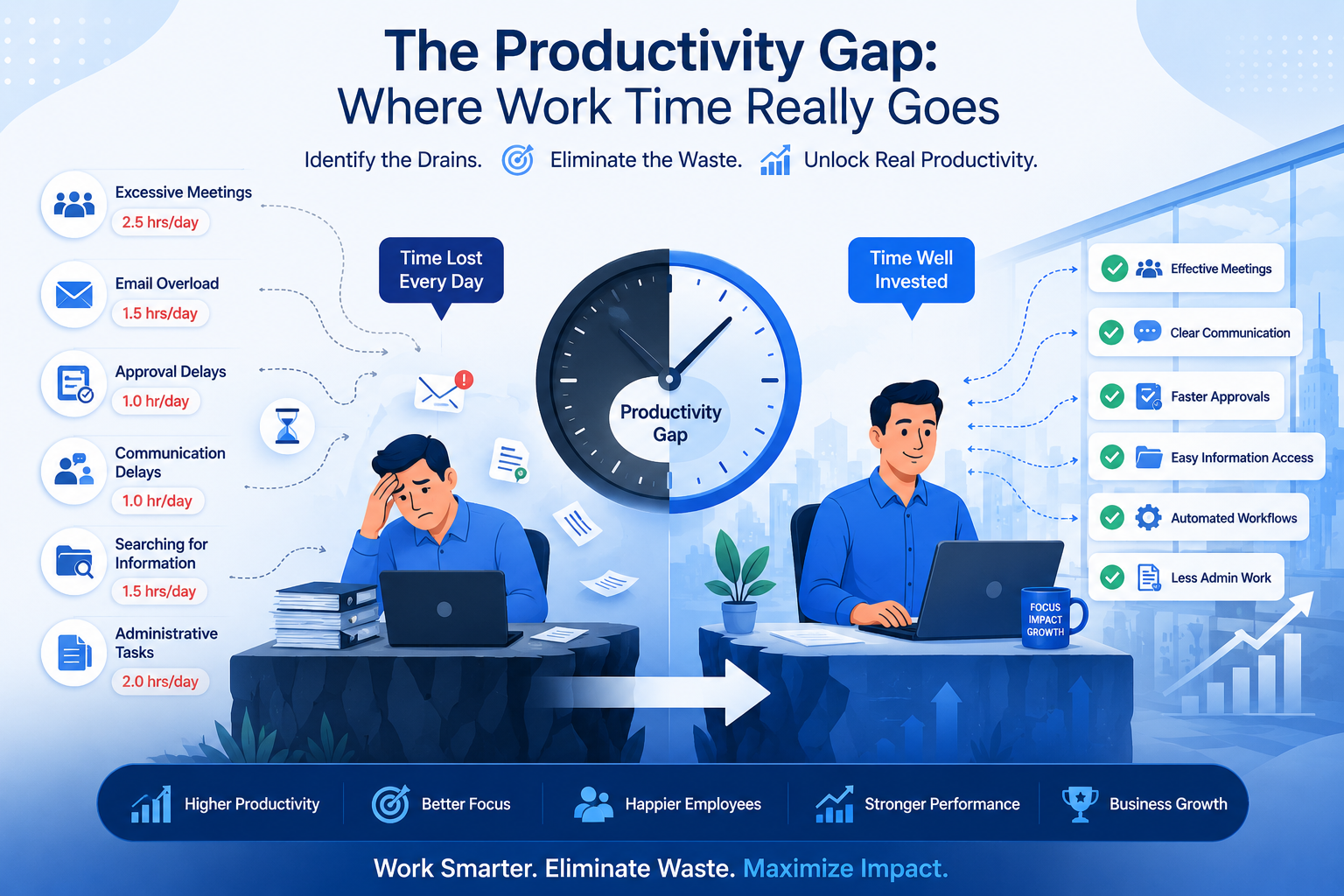
The Hidden Productivity Cost
Many organizations underestimate how much time employees spend managing spreadsheets.
Consider the daily activities involved:
- Searching for files
- Updating records
- Verifying data
- Correcting errors
- Sharing versions
Each task may only require a few minutes.
However, when multiplied across dozens of employees and hundreds of workdays, the productivity cost becomes substantial.
Employees should spend their time solving problems, serving customers, and driving innovation—not managing spreadsheet versions.
Reducing administrative workload creates opportunities for higher-value work.
Better Alternatives for Modern Organizations
This does not mean organizations should abandon Excel entirely.
Excel remains a valuable tool for analysis, budgeting, forecasting, and calculations.
The issue arises when spreadsheets become the primary system for managing business operations.
Modern organizations increasingly benefit from dedicated business platforms that offer:
- Centralized data management
- Role-based access control
- Automated workflows
Additional advantages include:
- Real-time reporting
- Activity tracking
- Enhanced security
These solutions help organizations operate more efficiently while reducing risk.
The goal is not to eliminate spreadsheets but to use them appropriately alongside more robust systems.
Signs Your Organization Has Outgrown Excel
Many organizations continue using spreadsheets simply because they have always done so.
However, certain warning signs suggest it may be time to consider more advanced solutions.
These include:
- Multiple versions of the same file
- Frequent data entry errors
- Difficulty locating information
- Delayed reporting
- Security concerns
If employees spend more time managing spreadsheets than using information productively, the organization may have outgrown its current approach.
Recognizing these signs early can prevent future operational challenges.
The Future of Business Operations
The modern workplace is becoming increasingly digital, connected, and data-driven.
Organizations need systems that support collaboration, visibility, security, and scalability.
While spreadsheets will continue to play an important role, they are no longer sufficient as the primary foundation for complex business operations.
The future belongs to organizations that combine flexibility with intelligent systems designed for growth.
Businesses that modernize their operations gain a significant advantage in productivity, decision-making, and long-term success.
Frequently Asked Questions
Is Excel still useful for businesses?
Yes. Excel remains an excellent tool for calculations, reporting, budgeting, and data analysis.
What are the biggest risks of relying only on spreadsheets?
Common risks include human errors, version control issues, security concerns, collaboration challenges, and limited scalability.
Why do spreadsheet errors occur so often?
Spreadsheets rely heavily on manual input, making them vulnerable to accidental mistakes and formula errors.
How do spreadsheets affect productivity?
Employees often spend significant time updating files, searching for information, correcting errors, and managing versions.
When should businesses move beyond Excel?
Organizations should consider more advanced systems when spreadsheets become difficult to manage, collaboration suffers, reporting becomes time-consuming, or data security becomes a concern.
Conclusion
Excel has helped businesses organize information for decades, and it remains a valuable tool in many situations. However, managing an entire organization's operations through spreadsheets alone can create hidden risks that become more serious as the business grows.
Version control problems, data inaccuracies, security vulnerabilities, collaboration challenges, and reporting inefficiencies all contribute to operational complexity.
Organizations that recognize these challenges and invest in more effective systems position themselves for stronger growth, better decision-making, and greater workplace efficiency.
Excel can remain part of the solution, but it should no longer be the entire solution for modern business operations.