Table of Contents
- How QR Visitor Management Is Changing the Reception Experience in Modern Offices
- Why the Traditional Visitor Register Is Becoming Difficult to Manage
- A QR Code Can Turn the Reception Desk Into a Self Check-In Point
- The Host Can Be Notified Without a Phone Call
- What Happens After the Visitor Is Approved?
- A Digital Visitor Log Makes Information Easier to Find
- Visitor Management Is Also About the Visitor Experience
- The Bigger Advantage: Connecting Reception With the Rest of the Office
- Conclusion
How QR Visitor Management Is Changing the Reception Experience in Modern Offices
The reception area is often the first place a visitor interacts with a company. Yet in many offices, the visitor experience still begins with a paper register, a pen, and a receptionist manually asking whom the visitor wants to meet. The visitor writes their name, phone number, company and purpose of the visit, and then waits while the receptionist contacts the concerned employee. This process may look simple, but when several visitors arrive at the same time, it can quickly create waiting, repeated phone calls and difficulty finding older visitor records. Research and current visitor-management systems increasingly describe QR-based registration as a way to replace these manual steps with digital check-in, automated notifications and searchable records.
Why the Traditional Visitor Register Is Becoming Difficult to Manage
A paper visitor register does more than collect information; it also creates work for the reception and security teams. Every visitor has to write their details manually, the receptionist has to understand the purpose of the visit, identify the correct employee and then contact that person. If the visitor has already visited the office before, the same information may be written again. Later, if someone needs to find out who visited on a particular day, the receptionist may have to go through pages of handwritten records.
This becomes even more difficult in larger offices where multiple departments, floors or entry points are involved. A digital visitor management system changes the process by collecting visitor information through an online form and placing it directly into a central dashboard. QR-based systems are specifically designed to reduce manual data entry and make visitor information available digitally rather than keeping it only in a physical register.
A QR Code Can Turn the Reception Desk Into a Self Check-In Point
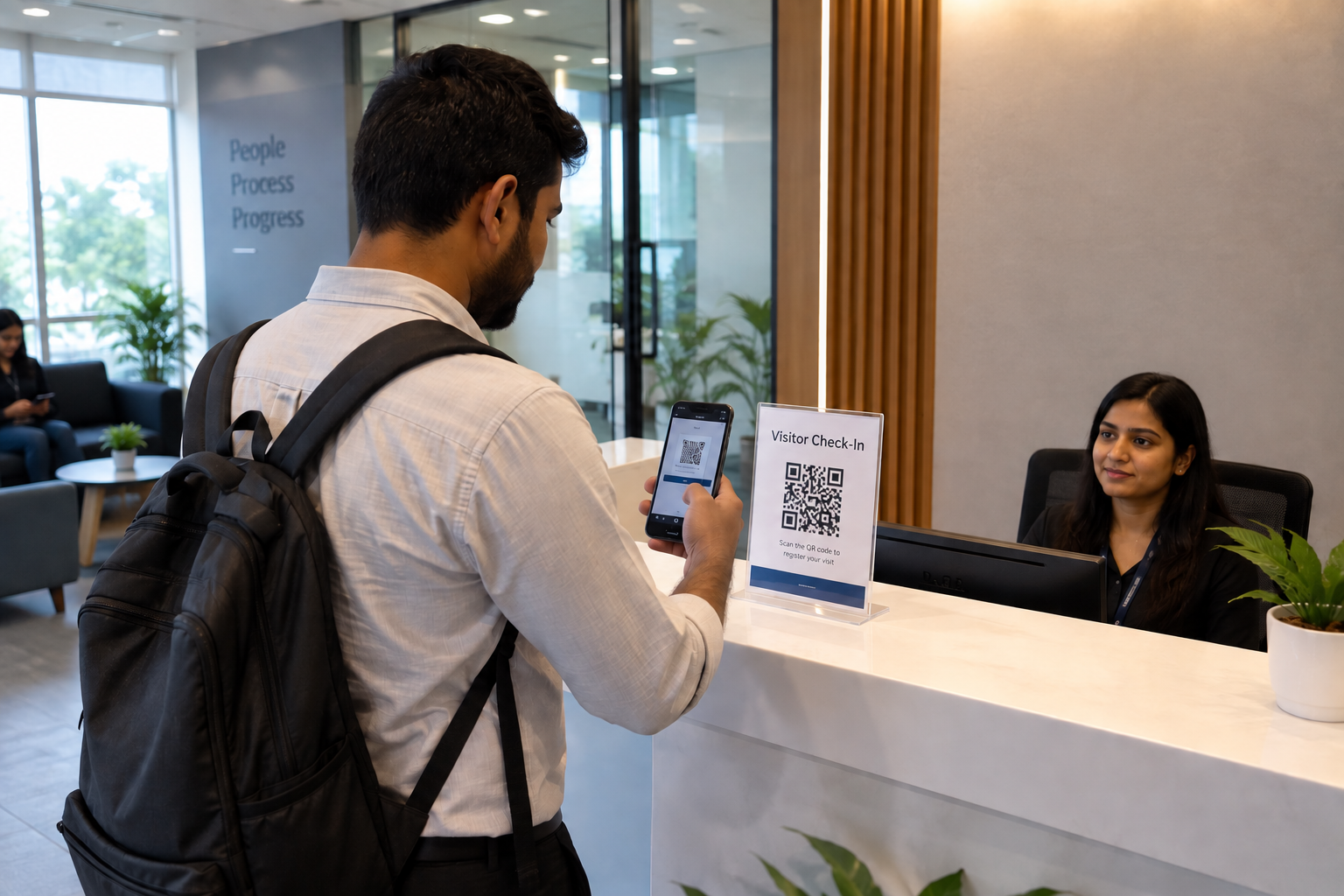
The basic idea is surprisingly simple. Instead of handing a visitor a register, the receptionist displays a QR code at the reception desk. The visitor scans it using their phone and a mobile-friendly form opens in the browser. They can enter their name, phone number, company, purpose of the visit and the person they want to meet. According to the i-Spur Visitor workflow, visitors do not need to install an app or create a separate login to complete this process.
This small change can make the arrival process feel much more organized because the receptionist no longer needs to manually enter every visitor's information. The information submitted by the visitor goes directly into the receptionist dashboard, where the visit can be monitored from the moment the request is submitted.
The visitor journey can be as simple as:
The Host Can Be Notified Without a Phone Call
One of the most useful parts of a digital visitor workflow is what happens after the visitor submits the form. In a traditional office, the receptionist may have to call the employee and explain that someone has arrived. If the employee does not answer, the receptionist may have to call again or contact another person.
With a digital workflow, the visitor request can be sent directly to the host. The host can see information such as the visitor's name, company and purpose of the visit and can accept or reject the request. i-Spur's visitor-management flow is designed around this sequence: visitor submission, host notification, approval or rejection, receptionist update and entry logging.
This gives each person a clearer responsibility. The visitor provides the information, the host makes the decision, and the receptionist manages the entry process.
What Happens After the Visitor Is Approved?
Once the host approves the visit, the receptionist can allow the visitor to enter and generate a visitor pass. Depending on the office setup, the pass can be printed or provided digitally on the visitor's phone. i-Spur also describes time-limited visitor passes that can automatically expire after a configured duration, along with QR verification for security checkpoints.
This is useful because a visitor pass does more than identify the person. It can provide information about whom the visitor is meeting, when they entered and how long their visit is valid. If the visitor leaves, the receptionist can complete the check-out, closing the visit record.
A Digital Visitor Log Makes Information Easier to Find
The value of visitor management does not stop when the visitor enters the building. Every visit can become part of a searchable digital record. Instead of searching through pages of a physical register, reception or authorized security staff can search and filter visitor information digitally.
For example, an office may need to check:
- Who visited on a particular date?
- Which employee did the visitor meet?
- Who is currently inside the building?
- What time did a visitor check in and check out?
- How many visitors arrived during a particular period?
i-Spur's visitor-management page describes filtering by date, host, department and visitor name, along with daily, weekly and monthly reports and export options for security or audit purposes.
Visitor Management Is Also About the Visitor Experience
Security is important, but visitor management should not make the arrival experience complicated. A visitor may be coming for a business meeting, interview, delivery, vendor discussion or client appointment. They should be able to understand what to do without needing lengthy instructions.
A QR-based check-in can make the first interaction straightforward: scan, complete the form and wait for confirmation. Research on QR-based visitor systems has similarly highlighted reduced paperwork, shorter check-in processes and automated data logging as key benefits of digitizing visitor registration.
For a company, this can also create a more professional first impression. Instead of a crowded paper register and repeated calls to employees, the reception desk becomes part of a structured digital process.
The Bigger Advantage: Connecting Reception With the Rest of the Office
A visitor management system becomes more useful when it connects with other business systems. i-Spur describes integrations in which the employee directory from HRMS can populate the “Whom to Meet” field, Messenger can deliver host notifications, Documents can store visitor-related files such as ID scans or signed NDAs, and email can be used for visitor confirmations and passes.
This means visitor management does not have to operate as an isolated reception tool. It can become one part of a larger connected workplace system.
Conclusion
Visitor management may seem like a small part of office operations, but it affects reception, employees, security teams and visitors every day. A paper register can work for a small number of visitors, but as an office grows, manually recording information, calling hosts and searching old records can become increasingly difficult.
A QR-based visitor management system provides a more connected approach. Visitors can scan a QR code and submit their information from their own phone, the host can receive the request and approve or reject it, the receptionist can manage entry, and the visit can be stored in a searchable digital log. i-Spur Visitor follows this complete workflow, including QR check-in, host notifications, approval, visitor passes, check-out and visitor reporting.
The important change is not simply replacing a paper register with a QR code. It is changing the entire visitor journey from manual registration to a structured, trackable digital process.A smarter reception starts before the visitor even enters the office.